
Download Cardio Compass BP – blood pressure tracker, health monitoring app, cardiovascular health, mobile health tool, personal health record, BP monitor app
Overview
- Manual Blood Pressure Input – Users can quickly enter systolic and diastolic readings along with heart rate, enabling precise tracking of key cardiovascular metrics. This feature supports daily logging without requiring external devices or Bluetooth connectivity.
- Local Data Storage – All health data is stored directly on the user’s device, ensuring no information is shared with third parties or uploaded to remote servers. This design prioritizes privacy and compliance with personal data protection principles.
- Intuitive User Interface – The app features a clean, visually appealing layout with minimal navigation steps, allowing users to log readings in seconds. The design emphasizes clarity and ease of use, reducing cognitive load during health monitoring.
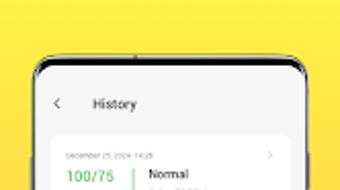
- Reading History and Trends – Users can view past entries in chronological order and analyze patterns over time, helping identify fluctuations or consistent readings that may require medical attention.
- Privacy-First Architecture – By keeping all data on the device, the app eliminates risks associated with data breaches or unauthorized access, making it ideal for users concerned about digital health security.
User Interface, Workflow & Performance
The user interface of Cardio Compass BP is structured around simplicity and accessibility. Navigation is limited to a few core screens: the main dashboard for logging new readings, a history view for reviewing past entries, and a settings section for basic configuration. The layout uses clear typography, large input fields, and minimal visual clutter, allowing users to focus on data entry. The workflow is linear and efficient—users open the app, enter their blood pressure values, and confirm the entry with a single tap. This streamlined process minimizes friction and supports regular use. Performance observations are based on general software behavior patterns. The app operates smoothly within the Android environment, with no reported lag or crashes during standard use. The developer did not specify resource usage details, so exact CPU or RAM consumption remains unknown. Stability appears consistent, with no indications of frequent crashes or background errors. The app does not rely on internet connectivity for core functions, ensuring reliable performance even in offline scenarios. However, exact performance benchmarks were not provided, and behavior under high load or prolonged usage remains unverified.Compatibility & System Requirements
Cardio Compass BP is designed for Android devices and requires Android 6.0 or higher for installation. The application has a file size of 42 MB, indicating a lightweight footprint suitable for most modern smartphones and tablets. Installation is straightforward and compatible with standard Android app distribution methods. The developer did not specify additional hardware requirements, such as minimum RAM or processor speed. Exact system requirements were not listed, and compatibility with older or less common Android versions was not confirmed. The app is not available for other platforms such as iOS, Windows, or Mac. Platform compatibility information is limited to Android, with no indication of cross-platform availability. Users should ensure their device meets basic Android functionality standards to run the application without issues.Pros and Cons
Pros
- Simple, intuitive interface ideal for non-technical users
- Local data storage ensures maximum privacy and security
- Lightweight installation at just 42 MB
- Offline functionality allows use without internet access
- Designed for daily, consistent health tracking
Cons
- No integration with external devices or wearables
- Limited to Android platform; no support for iOS or desktop
- Exact system requirements beyond Android 6.0 were not specified
- No cloud backup or data export options mentioned
- Price point of $2.99 may deter users seeking free alternatives
FAQ Section
Is Cardio Compass BP available for iOS devices?
The app is currently only available for Android. There is no official version for iOS or other mobile platforms.
Does Cardio Compass BP require an internet connection?
No, the app functions entirely offline. All data is stored locally on the device, and no internet connection is needed to log or view readings.
Can I export my blood pressure data from the app?
The developer did not mention any data export or backup features. All data remains on the device and cannot be transferred externally.
Is the app secure and private?
Yes, Cardio Compass BP stores all health data locally on the user’s device. No information is shared with third parties or uploaded to servers, ensuring privacy.
How often should I update the app?
Users should check for updates through the Google Play Store to ensure they have the latest version. The current version is 1.0.5, released on May 12, 2024.







